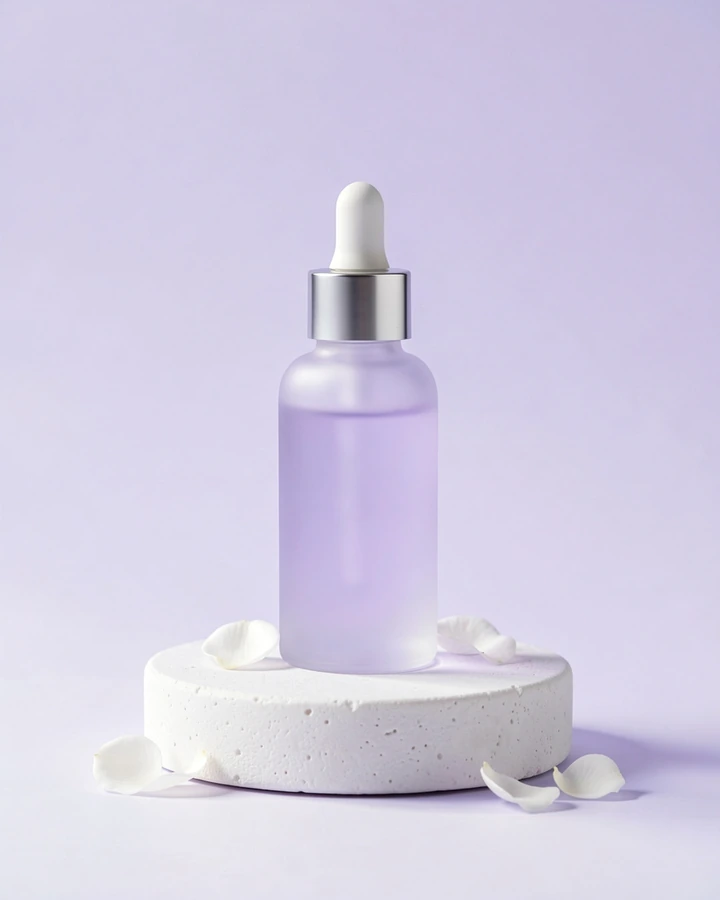
quillbloom.skin Unveil your calm, radiant glow. Quillbloom's lavender face serum soothes skin, revealing natural luminosity. Learn more. #Quillbloom #LavenderSerum #CalmGlow
Powered by SAN International
Marketing that runs itself — 10x faster and 70% cheaper*
Your full-stack AI marketing agency. Create posts, images, carousels and videos, plan your calendar, grow audiences, and outpace competitors — all from one platform.
* Compared with a typical freelancer or agency producing the same posts. How we measured
Example post · made with AIBrandPro
Made with AIBrandPro
Real posts. Your brand. Ready in seconds.
Real images made with AIBrandPro while we tested it — each from one short sentence, with a test brand's product and logo (the small red dot). Not retouched.
Your product on a modelImage · portrait 4:5
Instagram
Carousel coverCarousel · portrait 4:5
Instagram
Local café sceneImage · portrait 4:5
Instagram
Product sceneImage · portrait 4:5
Facebook
Features
One studio for everything you post.
Write, design and plan your social content in one place — always in your brand, always with your real products.
On the way Coming soon
Auto-publishing straight to Instagram, Facebook, TikTok and YouTube
Posting to LinkedIn and X (Twitter)
Campaign planning
Blog writing and publishing to your website
Text posts
Captions, emails, ads and blog drafts — 26 post types.
Realistic images
Photos set in your country, in every social size, with your real logo.
Post + Image
A caption and a matching image, made together from one sentence.
Carousels
3–10 swipe slides for tips, products or a story, in your colours.
Short videos
15, 30 or 45 s Reels and Shorts with music, subtitles and optional voice.
Brand Kit + Products
Your logo, colours and real product photos, used in every image.
Content calendar
Month, week and list views plus “Plan my week”. You post, then mark it posted.
Team roles
Owner, Admin and Member. Everyone sees the work; members change only their own.
Verified accounts
Every account confirms its email. Download or delete your data any time.
How it works
From idea to post in four steps.
Set up once, then every post takes one sentence.
01
Set up your Brand Kit
Country, tone, colours and logo — once.
PakistanFriendlyLogo
02
Add your products
Upload a photo of each product. We remember them.
03
Describe your post
One sentence. Choose text, image, Post + Image, carousel or video.
Launch our new blue vase — 20% off this weekendGenerate
04
Plan and post
Drop it on the calendar, then copy the caption, download the media and post it.
Pricing
Simple plans that grow with you.
1 piece = 1 caption or 1 image. A carousel or video uses one piece for its text plus one for each AI image (and one for a voiceover).
Loading plans…
Prices in USD. Taxes may be added at checkout. Fair-use daily limits for AI images and videos apply on every plan.
One caption or one image. A Post + Image uses 2. A carousel or video uses one piece for its text plus one for each AI image (and one for a voiceover).
Can I use my own products?
Yes. Upload a photo of each product once in Settings → Products. The AI shows your real product in a scene or with a person. Products with printed words or logos may not be copied exactly.
Which platforms do you support?
Everything is made for Instagram, Facebook, TikTok and YouTube. Today you post it yourself: copy the caption and download the image or video. Automatic posting is coming soon.
Is my data safe?
Each workspace only sees its own data, passwords are stored hashed and the site uses HTTPS. You can download all your data or delete your account at any time in Settings → Account. See our Privacy Policy.
Can I cancel anytime?
Yes. You can cancel a paid plan at any time in Settings → Plan & billing. You keep it until the end of the period you paid for, then your workspace moves to the Free plan — your content stays. You can also delete your account whenever you like.
Plan a campaign yourself, or let the AI write the strategy, posts, emails and ad copy.
Name
Channel
Status
Created
Actions
Loading…
Campaigns
Coming soon
Campaigns are coming soon
We're working on campaign planning — you'll get it here soon.
Blog CMS
Coming soon
Blog CMS is coming soon
We're working on blog writing and publishing — you'll get it here soon.
Blog CMS
Write, edit and keep your blog posts here. Publishing to your own website isn't connected yet — copy the text to your site.
Title
Status
Published
Created
Actions
Loading…
Analytics
Real numbers from your workspace only — no estimates.
Total content
—
Posted (marked in calendar)
—
Campaigns active
—
Pieces used
—
Posts by platform
From your calendar
Content by type
Settings
Your profile, brand, team and account.
Account
Timezone
Calendar times are shown and planned in this timezone.
Only the workspace owner or an admin can change the timezone.
Your data
Download everything in your workspace as a JSON file (content, calendar, Brand Kit, products, links to your images and videos). Passwords and access tokens are never included.
Download your account and the items you created as a JSON file. The workspace owner can download all workspace data. Passwords and access tokens are never included.
Leave this workspace
This removes only your login from this workspace. The content you made stays with the team. Only the workspace owner can delete the workspace.
Leave this workspace
You own this workspace. To leave it, first make a teammate the owner in Settings → Team — then you can leave here. Or delete the workspace below.
Delete my account and all data
This permanently deletes your account, workspace, content, calendar, Brand Kit, products, all generated images, carousels and videos (also from our file storage) and connected social accounts. It cannot be undone. See what is deleted.
Admin: set a customer's plan AIBrandPro team only
Only visible to the AIBrandPro team. Gives a workspace a plan without payment (for test or friend accounts). It is recorded in their billing history as “manual”, 0. Customers can only change plans through checkout.
Admin: mark email as verified AIBrandPro team only
Only visible to the AIBrandPro team. For support cases, e.g. a customer's verification email never arrived. Only do this when you are sure the address belongs to them.
Admin: delete a test account AIBrandPro team only
Only visible to the AIBrandPro team. Step 1: preview what will be deleted. Step 2: type the exact email again to confirm. Deletes the account, its workspace, content, calendar and all its files. Platform admins, the owner's account, workspaces with other members and workspaces with an active paid plan can't be deleted. It cannot be undone.
Products
Only the workspace owner or an admin can add or change products. You can use them when you create images and posts.
Upload real photos of your products once. When you create an image, pick a product and the AI shows your real product in a scene or on a model.
Best results: a clear photo of the product alone on a plain light background. Products with printed words or logos may not be copied exactly.
Add product
Loading…
Brand Kit
Only the workspace owner or an admin can change the Brand Kit. You can view it — it is used in everything you create.
Your real brand facts and logo. The AI uses only these facts — it never invents logos, slogans or colors — and places your real logo on images.
Import from my website
We read your homepage once and suggest your name, description, colours, logo and pictures. Nothing in your Brand Kit changes until you choose what to keep.
Tell us your industry so your AI team uses the right marketing know-how.
Whether people appear in a single image is chosen on the Image form ("People in the picture"); "No people" here still applies to carousels and videos.
No logo yet
PNG, JPG, WebP or SVG. Max 2 MB, 2000×2000. A plain background (for example white) is removed automatically.
On dark or busy pictures we automatically use a white or dark version of your logo so it stays readable. You can change these choices for each post.
Brand images
Up to 12 real photos and screenshots of your business, shop, products or website. Choose them in Image, Post + Image, Carousel and Video: they are used as they are (never redrawn by AI). Screenshots are shown inside a phone or laptop.
Loading…
AI team notes
Your AI team learns from the posts you keep, edit, rate and publish. Only your workspace uses this — other businesses never see it.
Style rules
Every new text post follows these rules. Rules marked “Learned” were suggested by the AI from your edits and thumbs-down notes.
Posts used as examples
Your best posts (posted, scheduled, liked or kept). New posts for the same platform are written in their style — sentences are never copied.
Start over
Removes the post history and the learned rules. Rules you wrote yourself stay. Your posts in Content are not touched.
Team
Owner — everything, including billing and deleting the workspace. Admin — all content, Brand Kit, Products, Calendar, and inviting or removing members; no billing. Member — creates content and changes or deletes only their own items.
Invite someone
They get an email with a link to set their password (valid 7 days). Up to 10 invites per day.
Loading…
Transfer ownership
Make a teammate the owner of this workspace (billing, team, deleting the workspace). You become an admin and can then leave. The teammate must have verified their email.
Profile information
Update your name and email address.
We'll send a link to the new address. Your email only changes after you click it — until then your current email keeps working.
Change password
Choose a strong password of at least 6 characters.
Plan & billing
Your plan and this month's pieces.
Active
Current plan
—
Pieces reset on
—
Pieces this month
—
Plans
Only the workspace owner can change the plan.
Payment history
Plan
Date
Amount
Status
Loading…
Prices in USD. Taxes may be added at checkout.
Social & email integrations
Connecting your accounts to publish automatically is on the way. Today you post yourself from the Calendar.
Social mediaComing soon
Connect Instagram, Facebook, TikTok, YouTube, LinkedIn and X to publish and schedule posts automatically.
Not connected
Email marketingComing soon
Connect Mailchimp, ConvertKit or another email platform to send newsletters to your subscribers.
Not connected
How posting works today
Add a post to the Calendar, then open it: copy the caption, download the image or video, open the app (Instagram, Facebook, TikTok, YouTube or LinkedIn), post it, and click “Mark as posted”.
Edit content
AI Campaign Builder
Describe your campaign and let AIBrandPro create the strategy,
messaging, content ideas, and publishing plan.
New blog post
Confirm delete
Are you sure you want to delete this item?
Multi-photo post
Where are your customers?
People in your pictures will look local. Nothing was made yet and no piece was used.